> ## Documentation Index
> Fetch the complete documentation index at: https://clubhub.mintlify.site/llms.txt
> Use this file to discover all available pages before exploring further.

# Discord

## Prerequisites

* Access to the [GitHub Organization](https://github.com/clubhub-space).
* Access to the [Discord Server](https://discord.gg/yt43ejhf).

## Getting Started

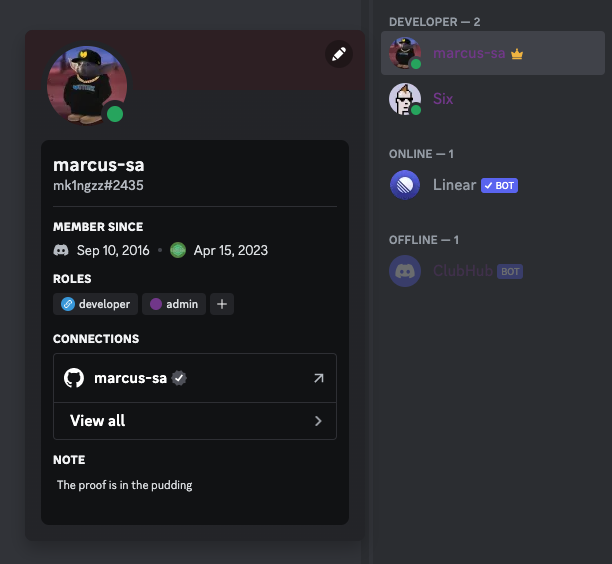
Once you have access, you'll need to acquire the **developer** role.
<Frame>
  <img src="https://mintcdn.com/clubhub/F9m6JAuCWx1Rz6Ub/images/stack/discord/Screenshot%202023-04-16%20at%2018.17.31.png?fit=max&auto=format&n=F9m6JAuCWx1Rz6Ub&q=85&s=a0065ded0cf3c543c4c20fe0855ec913" width="612" height="564" data-path="images/stack/discord/Screenshot 2023-04-16 at 18.17.31.png" />
</Frame>

<br />

The first step is to link your **GitHub** account to our [Discord Server](https://discord.gg/yt43ejhf).

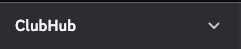
1. In the Discord Server, click on the ⬇️ in the top left corner on the right hand side of **ClubHub**.
<Frame>
  <img src="https://mintcdn.com/clubhub/F9m6JAuCWx1Rz6Ub/images/stack/discord/Screenshot%202023-04-16%20at%2017.10.39.png?fit=max&auto=format&n=F9m6JAuCWx1Rz6Ub&q=85&s=aa6a889ded8a9938226e5b71477689fe" width="241" height="49" data-path="images/stack/discord/Screenshot 2023-04-16 at 17.10.39.png" />
</Frame>

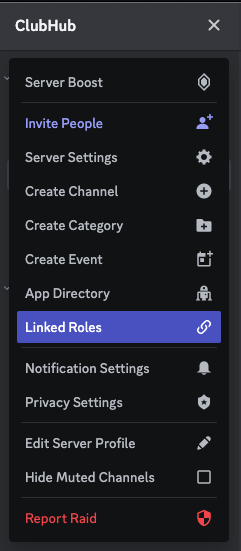
2. Click on the **Linked Roles** menu option.
<Frame>
  <img src="https://mintcdn.com/clubhub/F9m6JAuCWx1Rz6Ub/images/stack/discord/Screenshot%202023-04-16%20at%2017.10.56.png?fit=max&auto=format&n=F9m6JAuCWx1Rz6Ub&q=85&s=ae66dea023f579d679a844cb7d5db494" width="241" height="551" data-path="images/stack/discord/Screenshot 2023-04-16 at 17.10.56.png" />
</Frame>

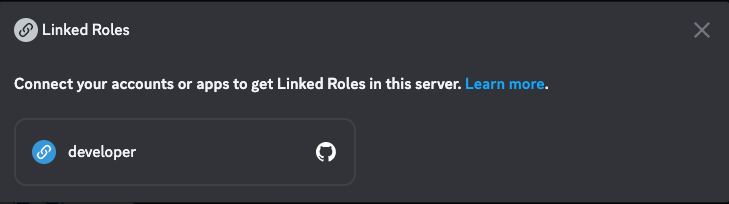
3. Click on the **developer** option.

<Frame>
  <img src="https://mintcdn.com/clubhub/F9m6JAuCWx1Rz6Ub/images/stack/discord/Screenshot%202023-04-16%20at%2018.02.01.png?fit=max&auto=format&n=F9m6JAuCWx1Rz6Ub&q=85&s=bad77631ae4d01f0105e827e5cda1df0" width="729" height="204" data-path="images/stack/discord/Screenshot 2023-04-16 at 18.02.01.png" />
</Frame>

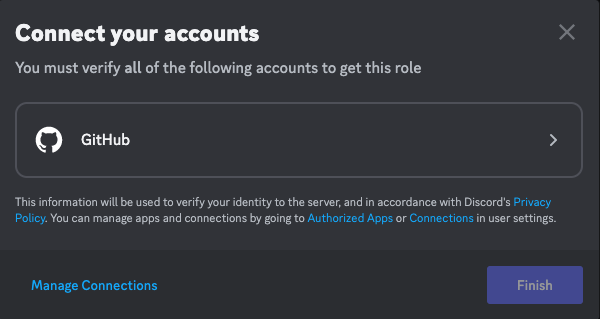
4. <Tooltip tip="A browser window will open where you'll need to authorize the connection between GitHub and Discord">Click on the **GitHub** option to connect your account.</Tooltip>

<Frame>
  <img src="https://mintcdn.com/clubhub/F9m6JAuCWx1Rz6Ub/images/stack/discord/Screenshot%202023-04-16%20at%2018.02.29.png?fit=max&auto=format&n=F9m6JAuCWx1Rz6Ub&q=85&s=cb48cb5f8de41f757c8cf716fe13cd4b" width="600" height="319" data-path="images/stack/discord/Screenshot 2023-04-16 at 18.02.29.png" />
</Frame>

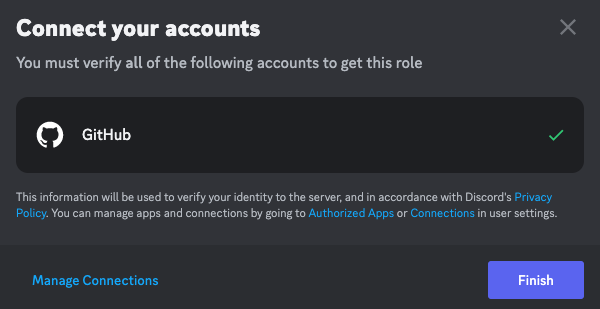
5. Click on the **Finish** button.

<Frame>
  <img src="https://mintcdn.com/clubhub/F9m6JAuCWx1Rz6Ub/images/stack/discord/Screenshot%202023-04-16%20at%2018.02.59.png?fit=max&auto=format&n=F9m6JAuCWx1Rz6Ub&q=85&s=f8a586fcc2502ee6d3737213784a16a6" width="600" height="309" data-path="images/stack/discord/Screenshot 2023-04-16 at 18.02.59.png" />
</Frame>

6. Your **GitHub** account has now been linked 🎉.